Stop Fighting With IDEs
Start Coding
The lightweight IDE that lets you code. Write it, run it. That's it. No project setup. No config files. Just code.
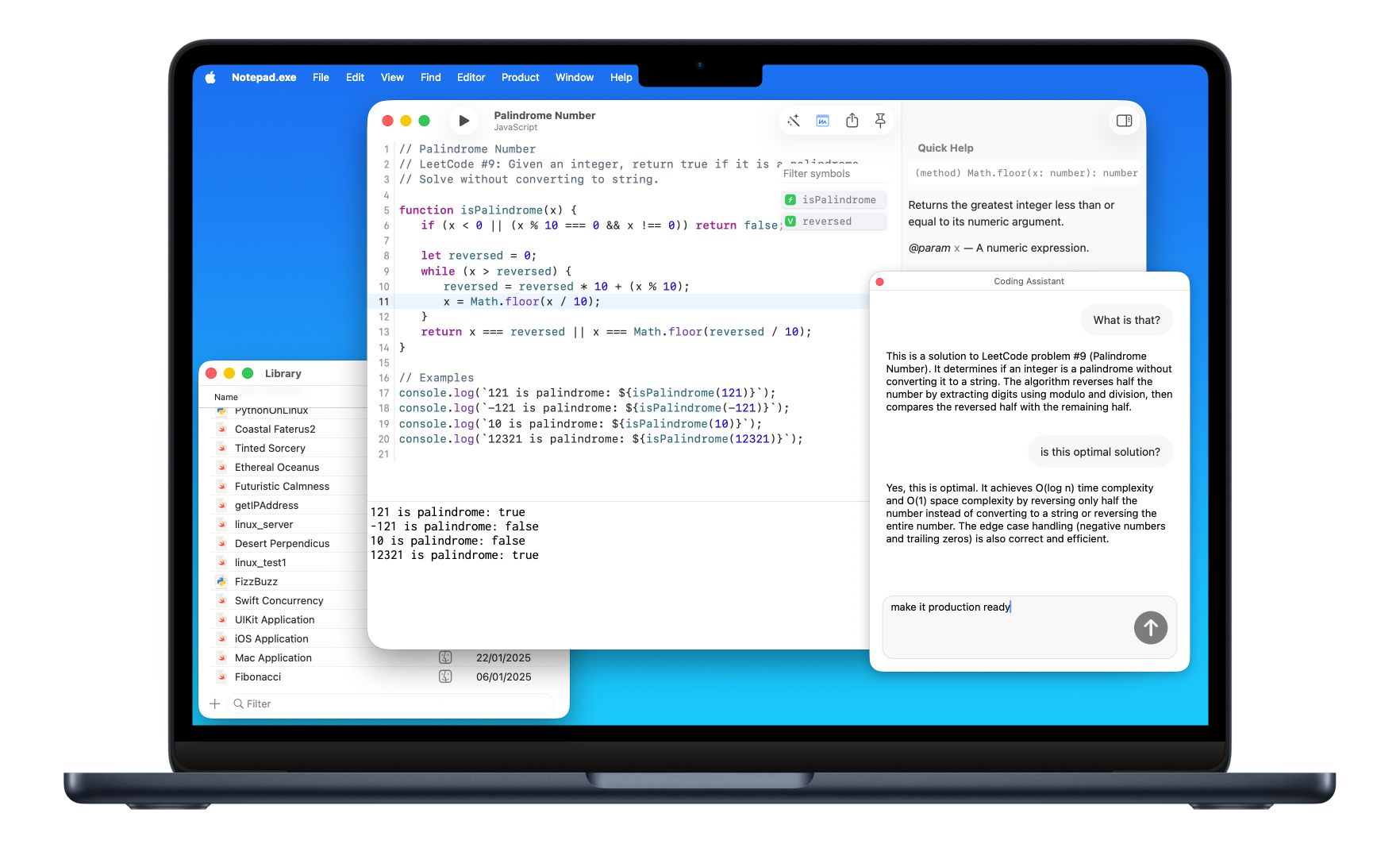
Or install via Homebrew
brew install notepadexe
What Makes It Special
A lightweight IDE built for developers who want to code, not configure.
Zero Setup
Write your code and hit run. No Xcode projects, no configuration files, no waiting around.
Your Languages
Swift for iOS and Mac apps, Python for scripts and automation, JavaScript for web projects.
Swift on Linux
Run and test Swift code for Linux platforms directly from macOS. Everything handled automatically.
Smart Notes
Every code snippet saved and searchable. Filter by language, tags, or recent edits.
AI-Powered
Local AI code assistance that respects your privacy. What happens on your Mac, stays on your Mac.
Built for Focus
Clean native macOS interface without the IDE bloat. Just you and your code.
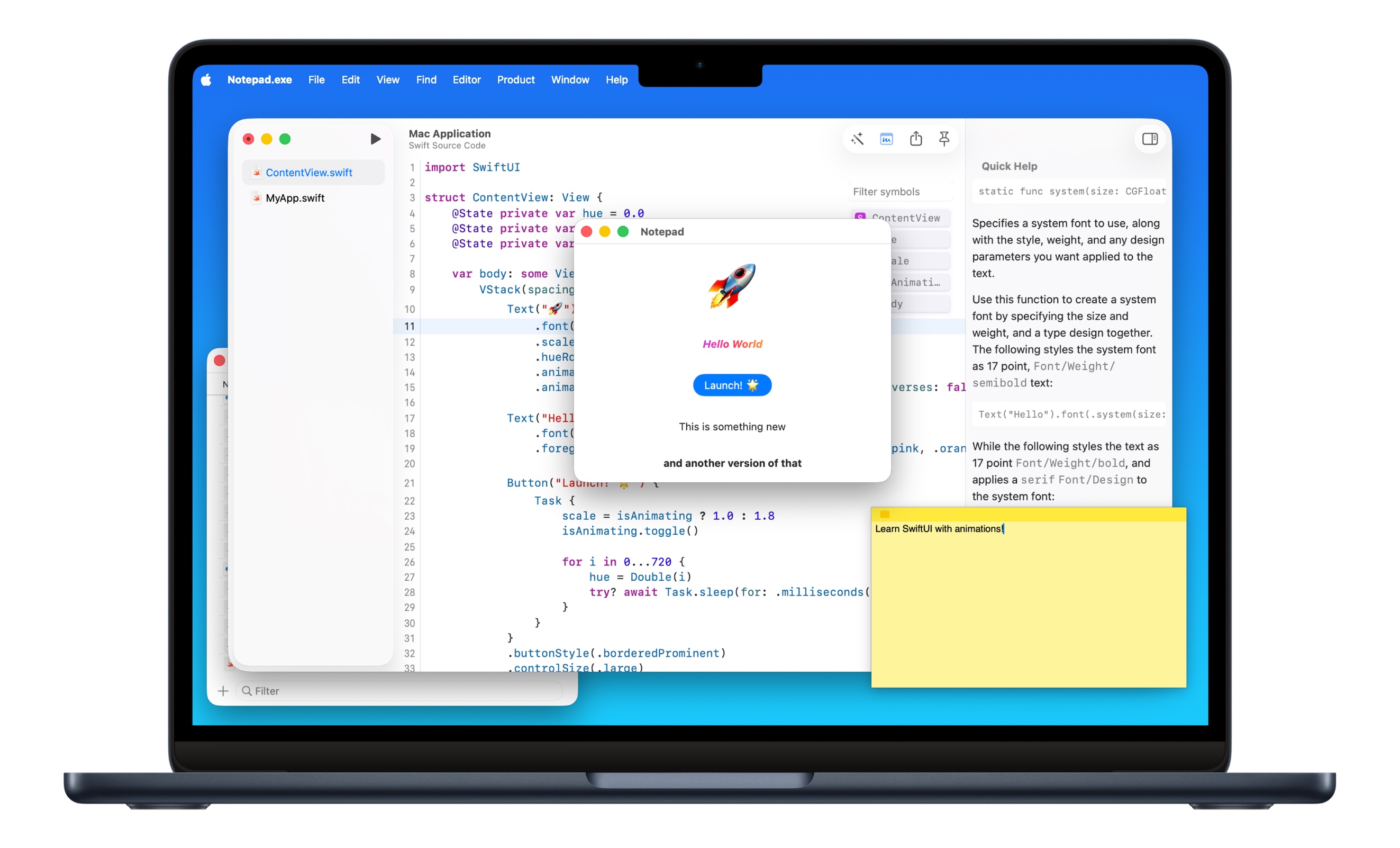
Create SwiftUI applications with animations and interactive UI. Run your Mac apps instantly.
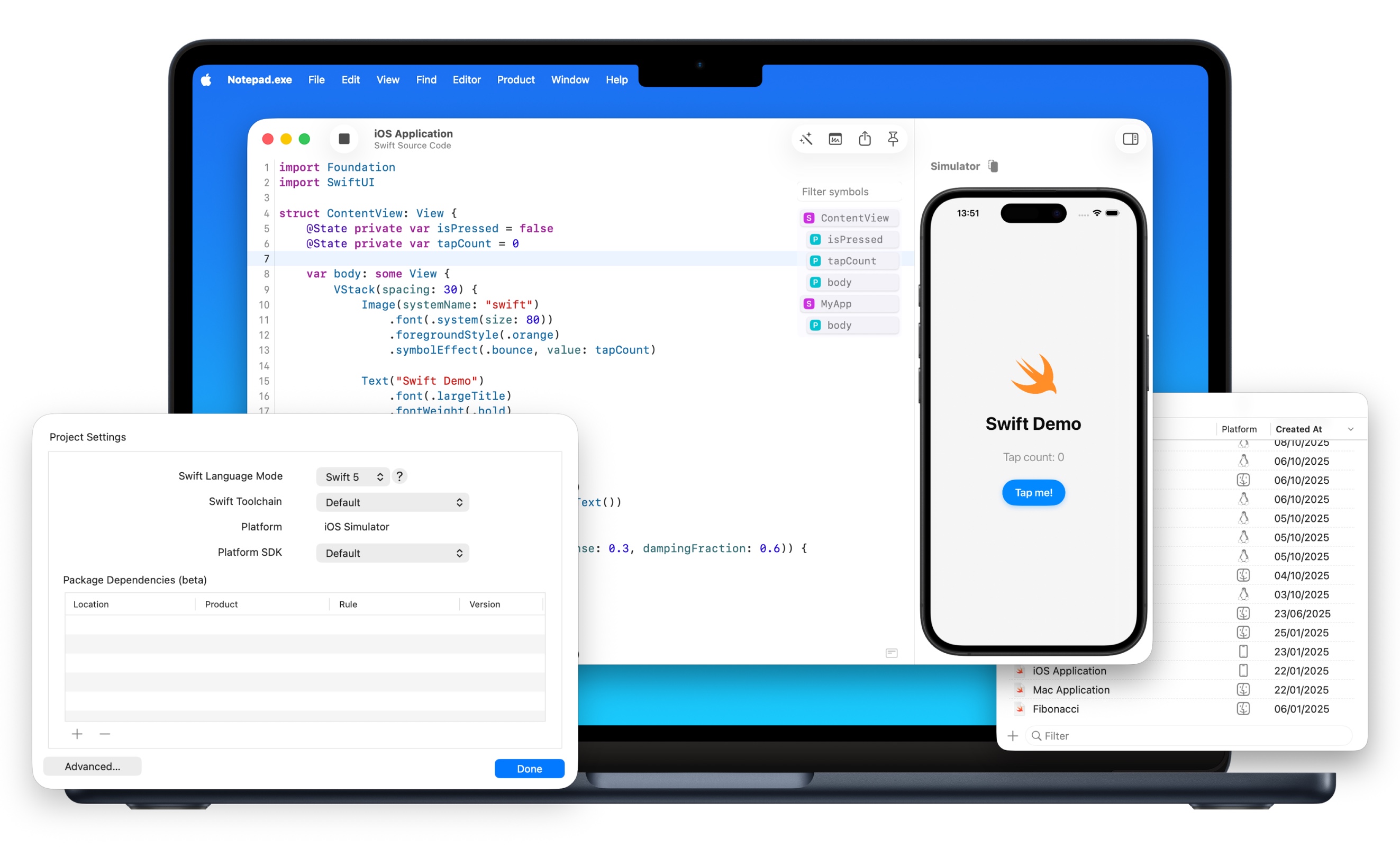
Run SwiftUI apps directly in the iOS Simulator without complex project files.
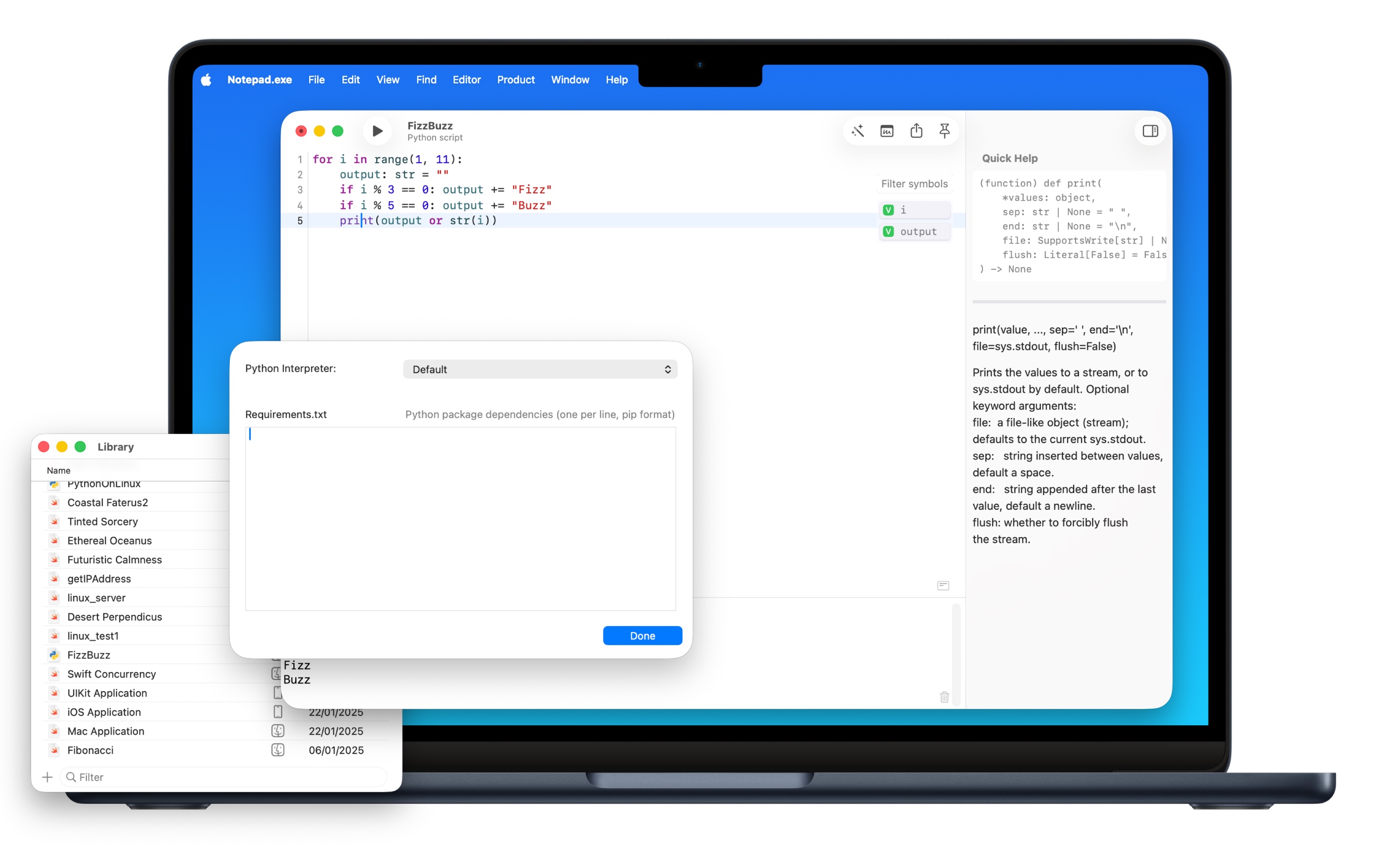
Run Python scripts with custom interpreter settings and built-in documentation.
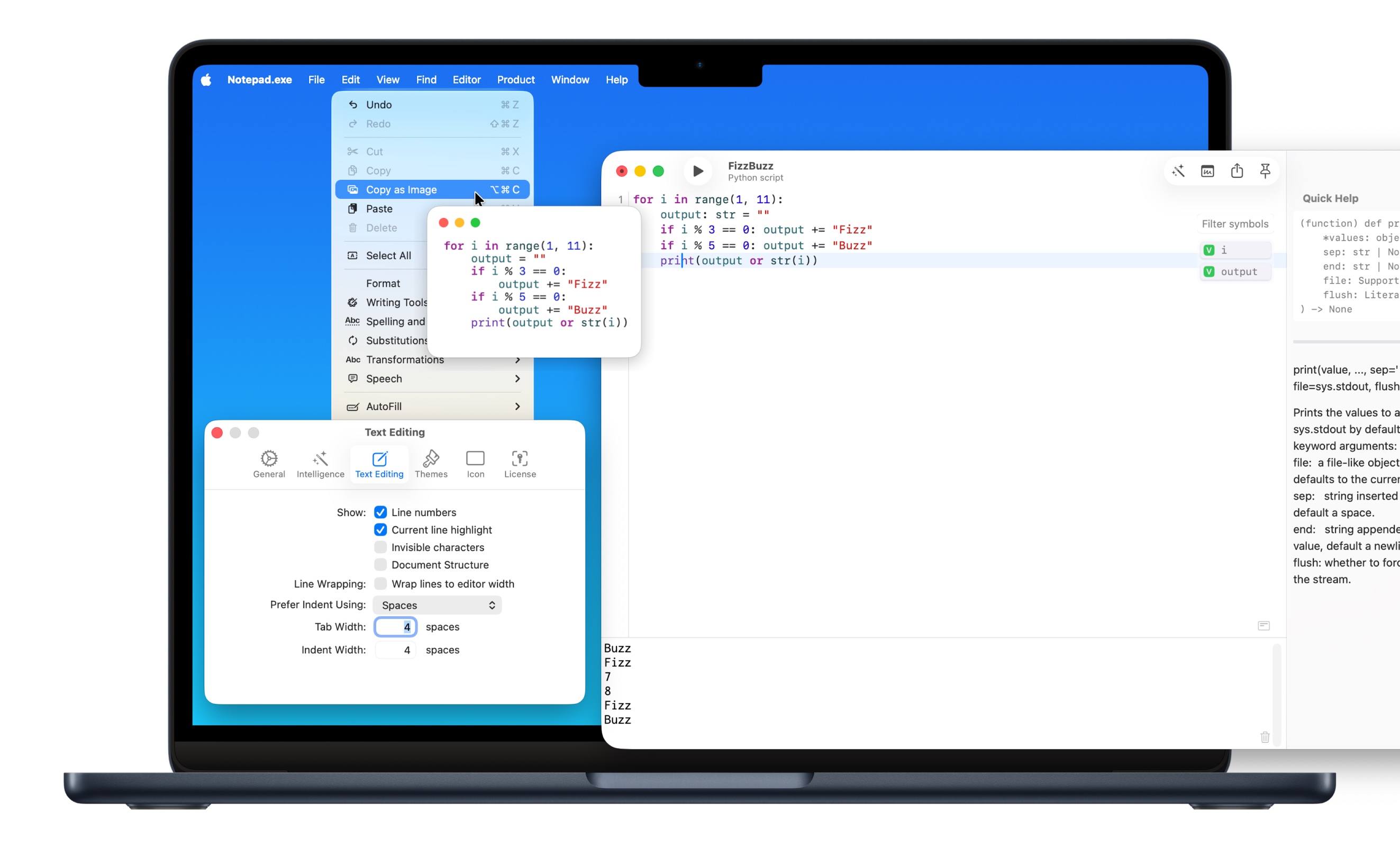
Configure line numbers, highlighting, indentation, and more to match your workflow.
What Developers Say
"I really dig the Notes Library and the ability to pin a window to the front. Cot does too little for me, Xcode is overkill for small things so I really love this."

"It's an excellent small code editor to explore all your Swift ideas without launching a heavy IDE like Xcode. The option to create an image for sharing code is just perfect!"

"I was really impressed with the performance, only to learn Notepad.exe is a native app. Where Xcode playground has to work despite Xcode's years of legacy, Notepad.exe has a very promising future."

"It's fast, lightweight and refreshingly low-friction - allowing one to jump straight into experimenting with code snippets. It's exactly the Swift playground we've all been wanting."

Full Feature List
Core
- Swift, Python & JavaScript
- Syntax Highlighting
- Code Completion
- Instant Execution
- iOS Simulator
- Linux Support
- Mac App Development
- Live Errors
- Code Formatting
Notes
- Smart Notes Library
- Search & Filter
- Tag Organization
- Pin Favorites
- Recent Files
- Export as Image
- Export Mac Apps
- Share Snippets
- Dark & Light Themes
AI & More
- AI Coding Assistant
- Local AI Processing
- Privacy-First
- Multiple Cursors
- Line Numbers
- Keyboard Shortcuts
- Spotlight Integration
- Auto-Save
- Native Performance
Start Coding Without the Wait
Frequently Asked Questions
- How do I get started?
- Download and purchase or try the free version with core features. You can also subscribe to receive information about releases.
- Is it an IDE or a text editor?
- Both! It's a lightweight IDE with code completion, live error detection, and instant execution - without the bloat. Think Xcode Playgrounds done right.
- Wait, isn't Notepad.exe the Windows Notepad? Why name a Mac app ".exe"?
- I like to live dangerously.
- When will you support language X?
- We've got Swift, Python, and JavaScript covered. More languages? Maybe. Stay tuned!
- Can't I just use (insert tool you have an opinion about)?
- Sure, why not? Go ahead and be a rebel!
- (Tool you have an opinion about) does it better.
- That's fantastic news! More power to you and your tool-wielding skills!
- Why?
- Because I can... and also because unicorns told me so.
- Is this Swift Studio?
- It might transform into one after midnight. Who knows?
- Why isn't it open source?
- For very mysterious reasons, like protecting the last piece of grandma's secret pie recipe. Plus, parts are open source on GitHub, so I'm not a total villain!
- I could build it over the weekend myself?
- Go for it! Just make sure to send me a postcard when you're done.
- Why don't you just...?
- Yes! Wait, what was the question again?
- It looks like CodeRunner with some AI sprinkled in?
- Sure, and my toaster's a space shuttle. But hey, great detective work, Sherlock!
- Do I need Xcode installed?
- Works with just Swift Toolchain, but having Xcode's SDK lets you run applications. Like having both the recipe and the oven!
- Can I develop iOS apps?
- I spent months adding iOS simulators just so you could ask this question. Yes, it runs iOS code now. Your iPhone apps can finally escape Xcode's loving embrace!
- Does it have vim mode?
- No, I'm not doing vim mode. However, there's an app named kindaVim that is 100% compatible, and I recommend it!
- Did anyone actually ask these questions?
- Nope, but it feels good to pretend they did!