JavaScript Support is Here#

Bun-powered, zero config

December 11, 2025

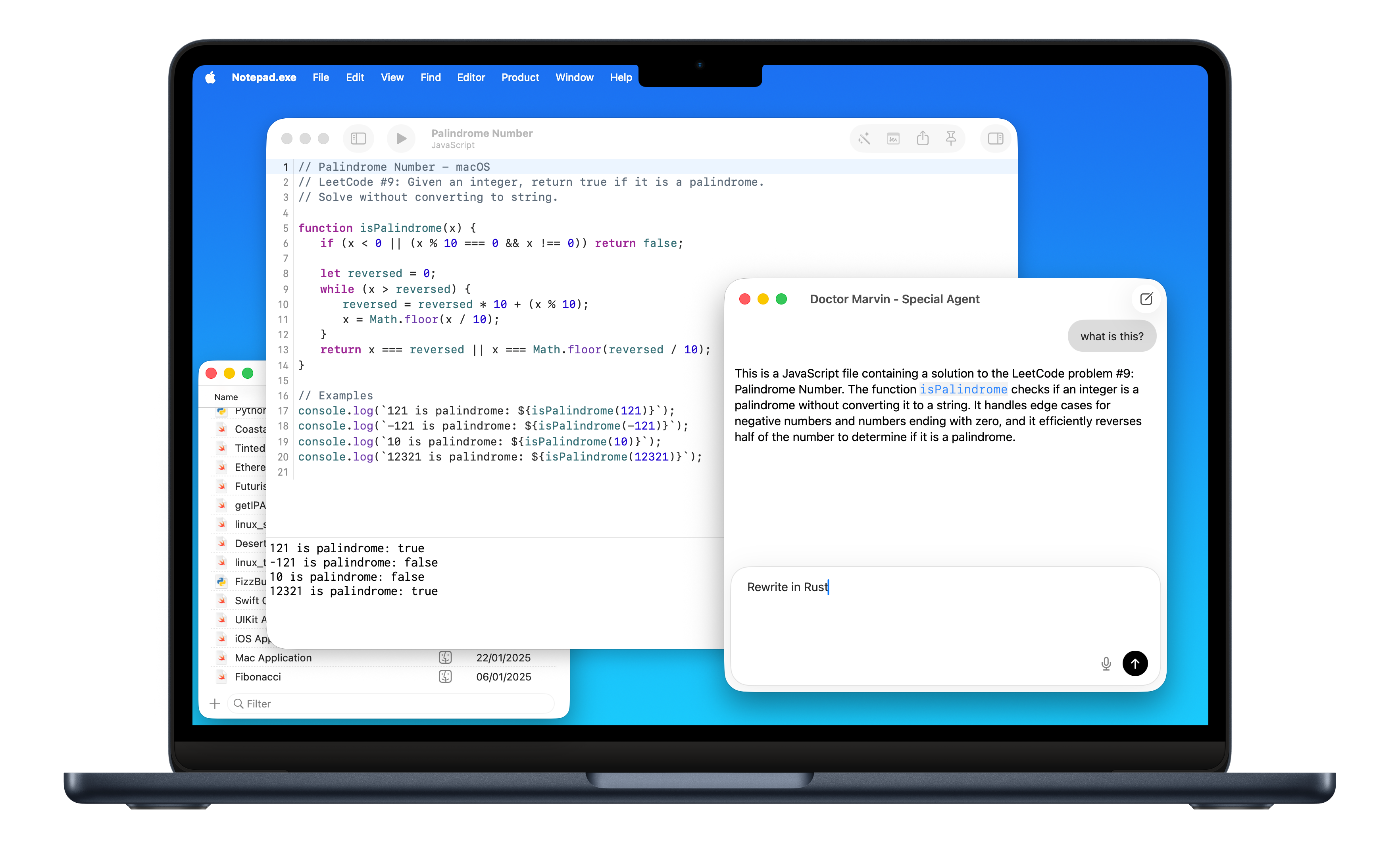
You asked for it. JavaScript is now a first-class citizen. Write JS, run JS. Powered by Bun, which means it's fast.
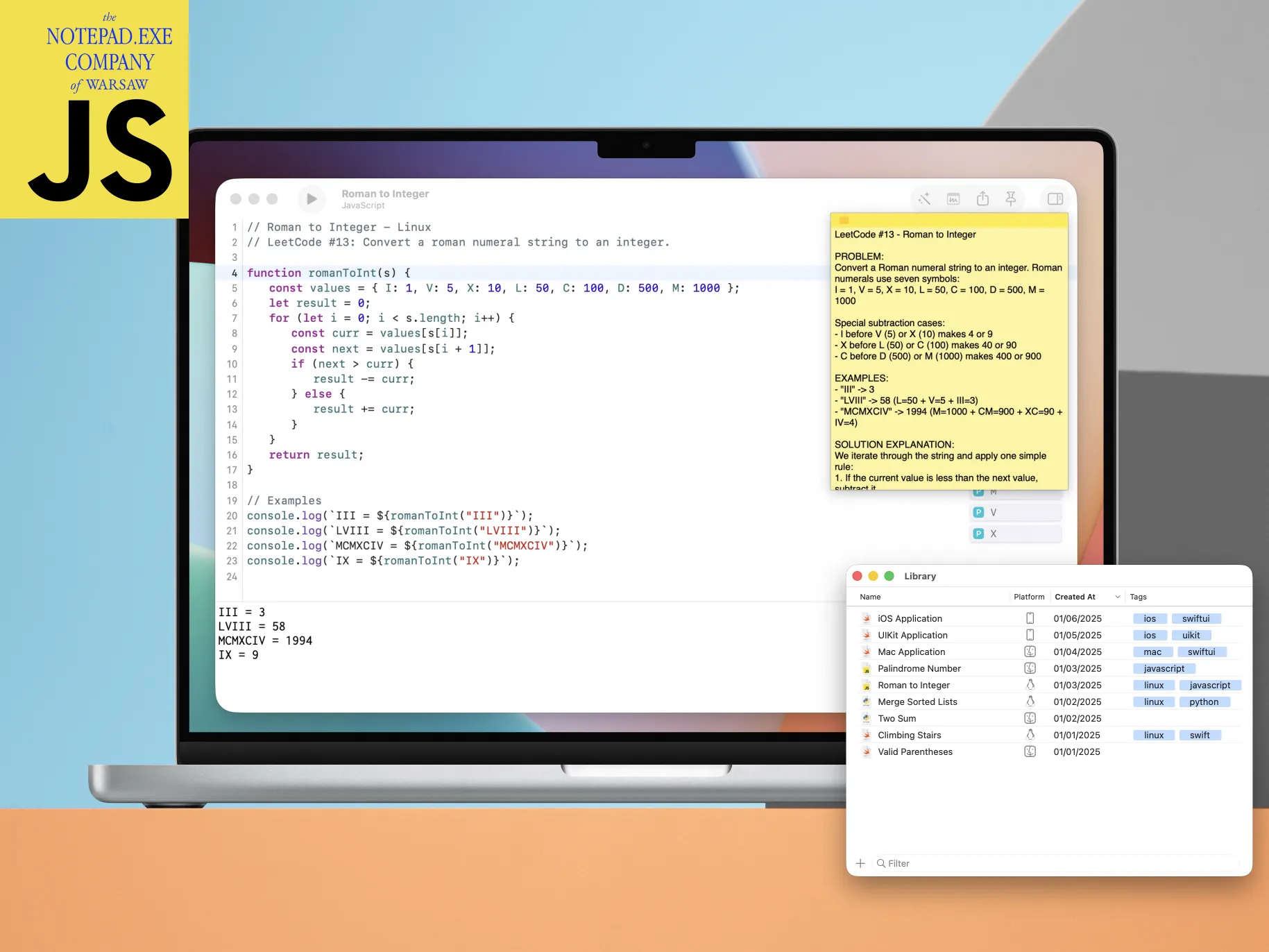
JavaScript support in Notepad.exe

What You Get

  • Full syntax highlighting via Tree-sitter
  • Code completion and error detection through typescript-language-server
  • Run your code instantly - Bun handles execution
  • Works on macOS and Linux
  • Automatic Bun installation

Why Bun?

Bun is ridiculously fast. It handles syntax checking during builds, runs your code in the terminal, and works with the TypeScript language server for code completion. No Node.js configuration headaches.

Same Philosophy

Just like Swift and Python before it - zero setup. Open a note, write JavaScript, hit run. That's it.

Now you've got Swift, Python, and JavaScript all in one lightweight editor. Pick your poison.

/Marcin

Notepad.exe 1.4: Linux Support#

Cross-platform Swift, finally real

October 19, 2025

Version 1.4 is here with full Linux support. Write Swift code on your Mac, run it on Linux. Everything handled automatically.

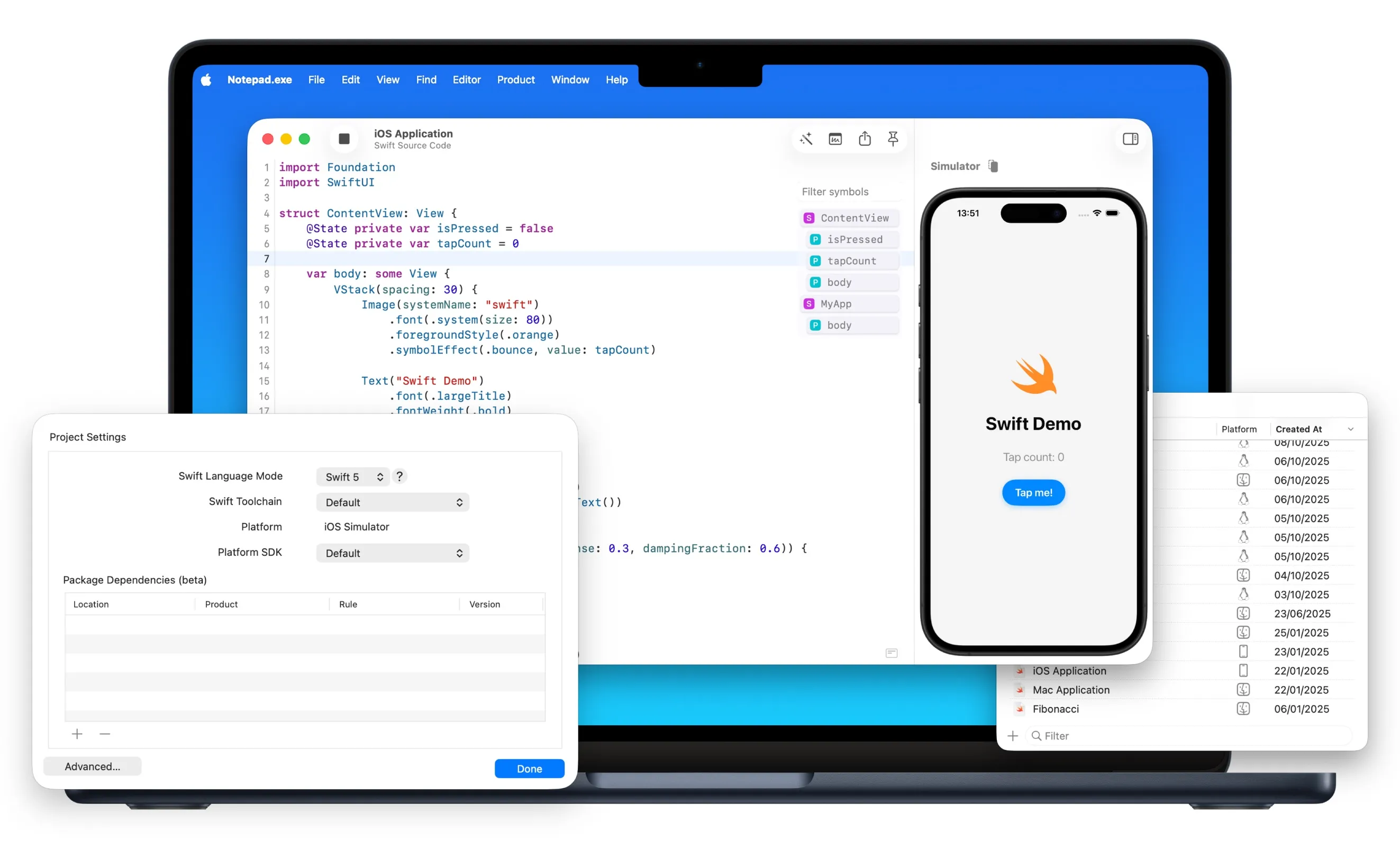
Swift on Linux development in Notepad.exe 1.4

Why I Built This

Developing for Linux on a Mac has always been painful. You either SSH into a Linux box, manually manage VMs, or keep a separate Linux machine around for testing.

Now you write your code and hit run. Behind the scenes there's cross-compilation, VM management, toolchain setup - but you don't see any of it.

What Actually Works

  • Cross-compile Swift projects targeting Linux right from macOS
  • Swift toolchains and Linux SDKs download automatically
  • Your code runs in actual Linux environments with smart caching
  • Python works too - not just Swift
  • Code completion and error detection work for Linux projects
Platform management in Notepad.exe 1.4

Platform Management

The notes library now shows which platform each note targets. There's a platform column with icons for macOS, iOS, and Linux. You can filter, sort, and manage your notes by platform.

Editor and UI Improvements

Syntax highlighting got smarter. Code completion got a visual refresh. Menus have icons now. Toolbar got new symbols. Bunch of polish that makes the app feel tighter overall.

What This Enables

Server-side Swift development without leaving your Mac. Python scripting for Linux deployment. Cross-platform testing without maintaining multiple machines.

Version 1.4 is available now.

/Marcin

Notepad.exe 1.3: Coding Intelligence#

AI assistance and app export

September 21, 2025

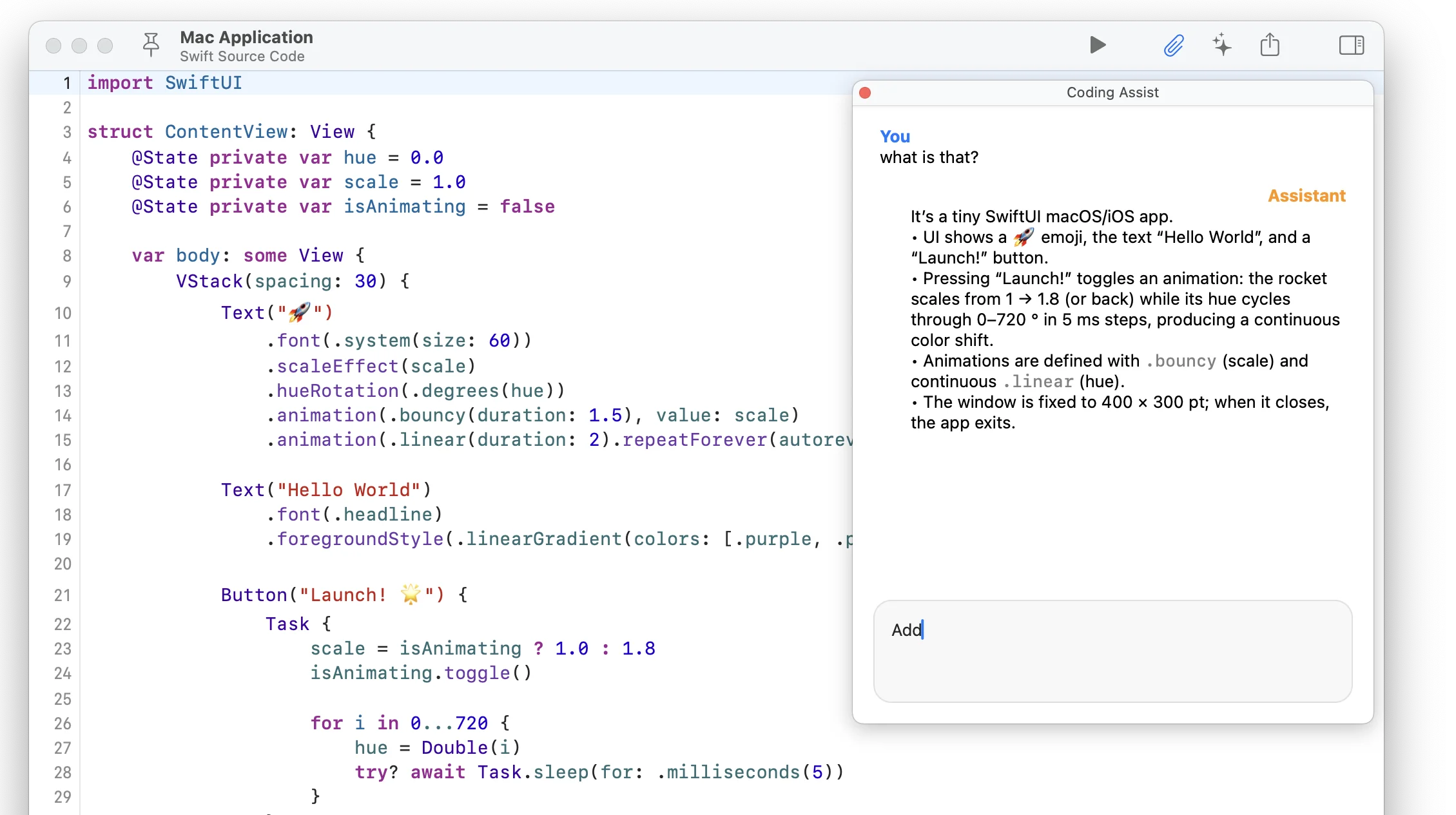
The headline is Coding Intelligence - AI built right into the editor. It autocompletes, suggests fixes, and helps you write code faster.

Coding Intelligence feature in Notepad.exe 1.3

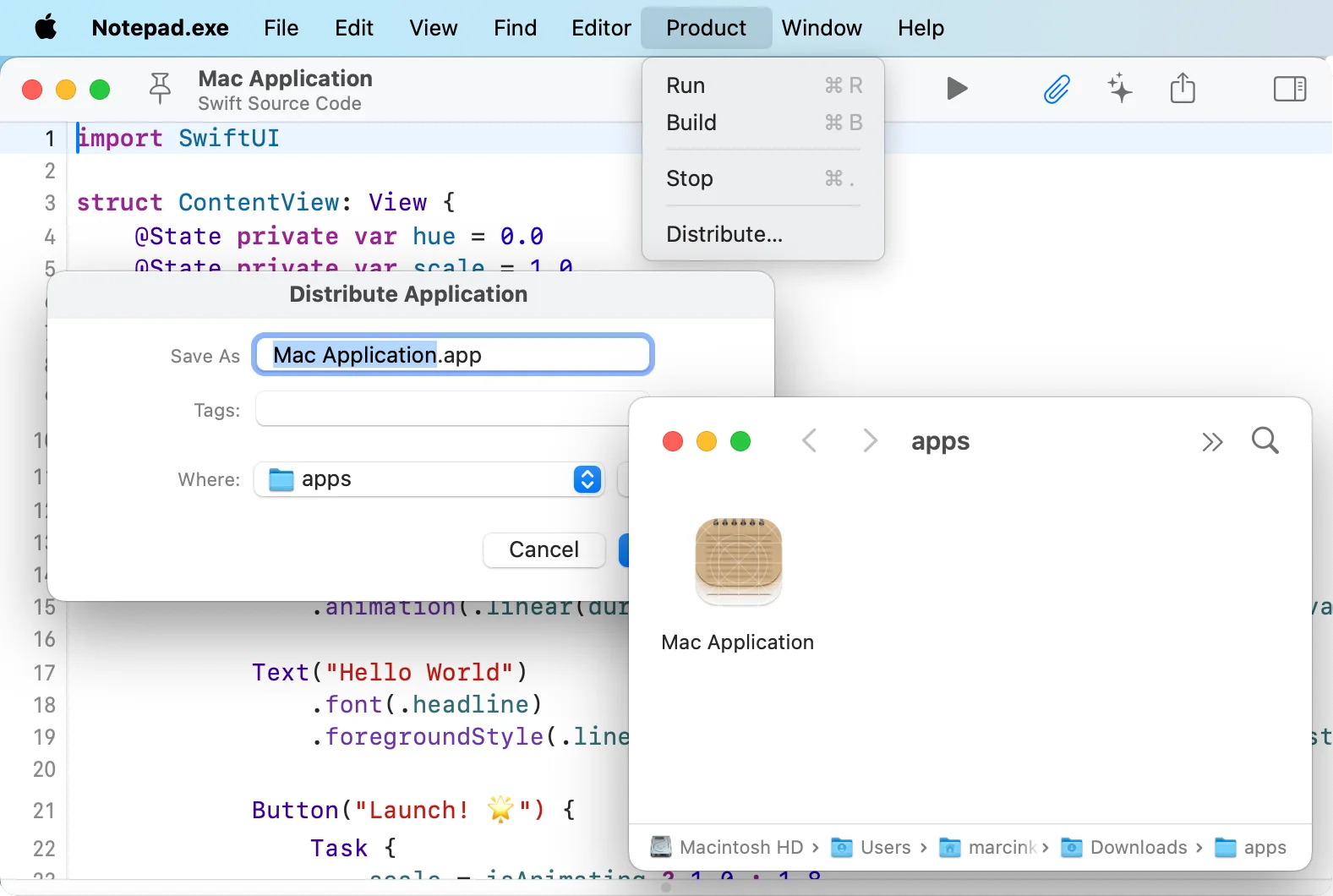
Another big step in 1.3 is App Distribution. For the first time, you can export a fully functional macOS application right from the editor.

App Distribution feature in Notepad.exe 1.3

I also improved support for Swift and Python. You can open, edit, and highlight those files with better clarity, and even update packages without leaving the app.

Themes got an upgrade. You can choose from more built-in styles or load your own. And if you like to tweak every detail, you can even swap the app icon right from settings.

This release is a big one. The app does more now, but it still stays out of your way.

Grab it now at notepadexe.com.

/Marcin

Notepad.exe 1.2: Python Support#

The snake is here

June 25, 2025

I kept getting emails. "When Python?" "Add Python!" "I'll pay double for Python support." Every. Single. Day.

Fine. You win.

What's New

  • Write Python. Run Python. That's it.
  • pip stuff works (numpy, pandas, whatever you need)
  • Output shows up instantly
  • No virtual environments to mess with

Sometimes you need to quickly parse some JSON. Or maybe you're prototyping that data thing before building the real version in Swift. Whatever. Now you can do it without opening another tool.

But Why Though

I was debugging some server logs last week. Needed a quick Python script to parse them. Opened PyCharm. Waited. Created a project. Set up the interpreter... you know what? Screw it. I added Python support instead.

Swift Still Lives Here

Before anyone panics - Swift is still the main thing. iOS simulators, SwiftUI, all that good stuff. Python just moved into the spare room.

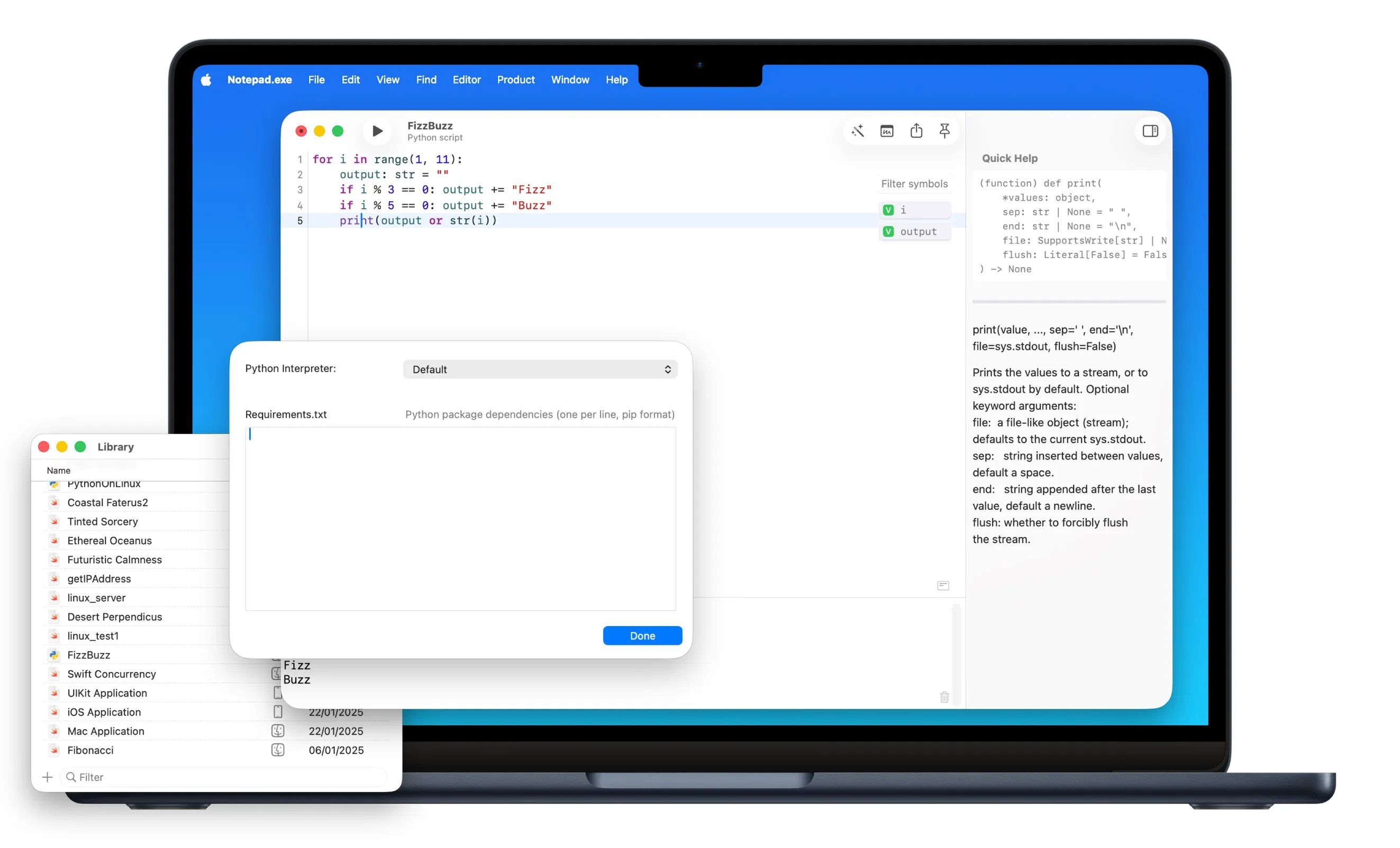
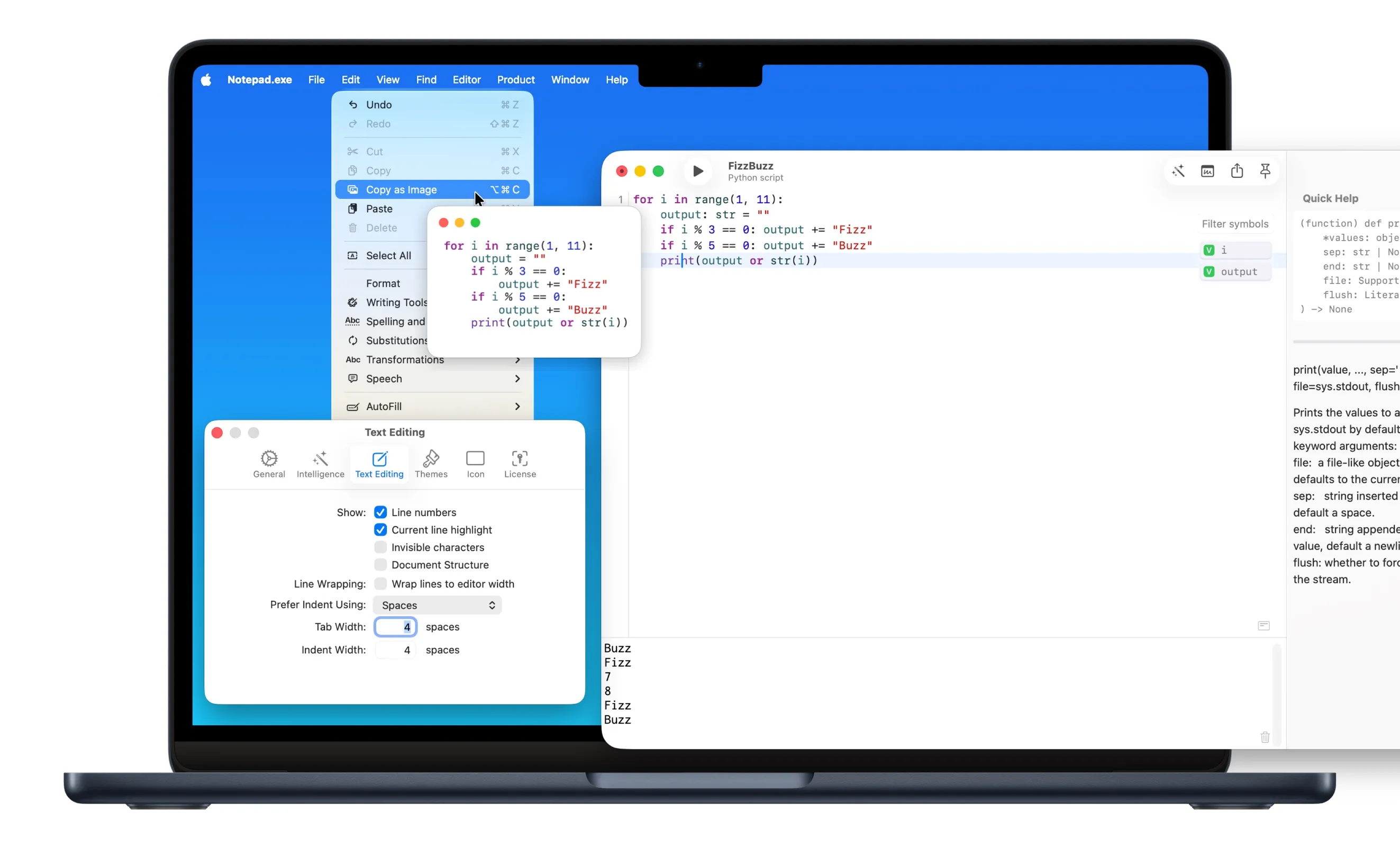
Python support in Notepad.exe

Version 1.2 is live. Go nuts.

Notepad.exe 1.1: iOS Runtime#

Ready for WWDC experiments

June 8, 2025

Version 1.1 is here, and iOS runtime is finally working perfectly. You can now run iOS development sessions with their own simulators.

What Actually Works Now

You can build SwiftUI apps (with enhanced SwiftUI support), work with UIKit, or experiment with any iOS API. Same zero-setup philosophy - just write code and hit run.

The simulator spins up automatically. No configuration, no project setup, no wondering if you forgot to check some box in Xcode.

Quick Thanks

Thanks for all the bug reports. Keep them coming.

Notepad.exe iOS runtime in action

Download it here and see what happens.

Introducing Notepad.exe 1.0#

May 22, 2025

It's here. Notepad.exe 1.0 is out.

Have you ever wanted to quickly test a Swift idea without firing up Xcode and creating an entire project? That's exactly why I built Notepad.exe.

Swift Ideas, Executed Simply

The Story Behind the Name

Yes, it's a bit of a playful nod to Windows' classic text editor, but with a twist - this notepad actually executes your code!

"It's essentially a notepad that can execute your code. I wanted something that would feel lightweight and familiar, but with the power to actually run the code you're writing."

What Makes It Special?

  • Swift-First Approach: Everything is optimized for Swift
  • Library-Based Organization: Your snippets live in a searchable, taggable library
  • Floating Notes: Pop out your notes to hover above other apps
  • Swift Package Manager Integration: Import and use external packages directly
  • Local AI Assistance: Get helpful code suggestions while keeping your code private
Notepad.exe code editor with library

What's Next

iOS development tools, better sharing, and whatever else makes sense. Get it here.

Press Resources

For media inquiries, high-resolution screenshots, logos, and additional information, please visit our Press Kit page.